Published: May 2, 2024
Updated: April 26, 2026
Notion Calendar VS Fantastical — Which Calendar Should You Use?
Good time management starts with the right tools—and for many people, a calendar is the backbone of staying organized. Whether you’re a student, entrepreneur, or professional, managing your schedule effectively can mean the difference between staying productive or feeling constantly overwhelmed. After experimenting with different calendar tools for years, I found myself choosing between two of the best options available today: Notion Calendar and Fantastical. Both offer powerful features, sleek design, and smart scheduling—but they cater to different types of users. In this article, I’ll compare both apps and explain why I ultimately chose one over the other.
Whether you’re a businessman, entrepreneur, employee, coach, tutor, or even student. You will need good time management skills. Otherwise, you’ll be flooded with tons of chores and tasks, forever.
If you’ve read my articles about productivity, you should understand the importance of using a calendar. In this brief yet valuable article, I’ll share a detailed comparison between my two favorite Calendar apps, and why I switched from one to another.
Introduction
What makes each calendar app unique are its features and characteristics, UI/UX, and user-friendliness, as well as whether it’s free or not. Yes, price also plays a role.
Apple Calendar is best integrated with the ecosystem, Google Calendar is by far THE best calendar service globally. It’s the most user-friendly and has endless features, most calendar apps are built on or integrated with Google’s Calendar anyway, just like web browsers are built on Chromium. However, other calendars like Microsoft’s could be so bad that you might’ve never heard of them until this very moment.
I’ve been playing around with calendar apps and tools for years now and recently, I found myself stuck between 2 options, which are, in my opinion, the Top 2 calendar apps in the market. Notion Calendar and Fantastical. And I finally chose one of them, so I’ll help you choose yours.
Notion Calendar — You might know it also as Cron
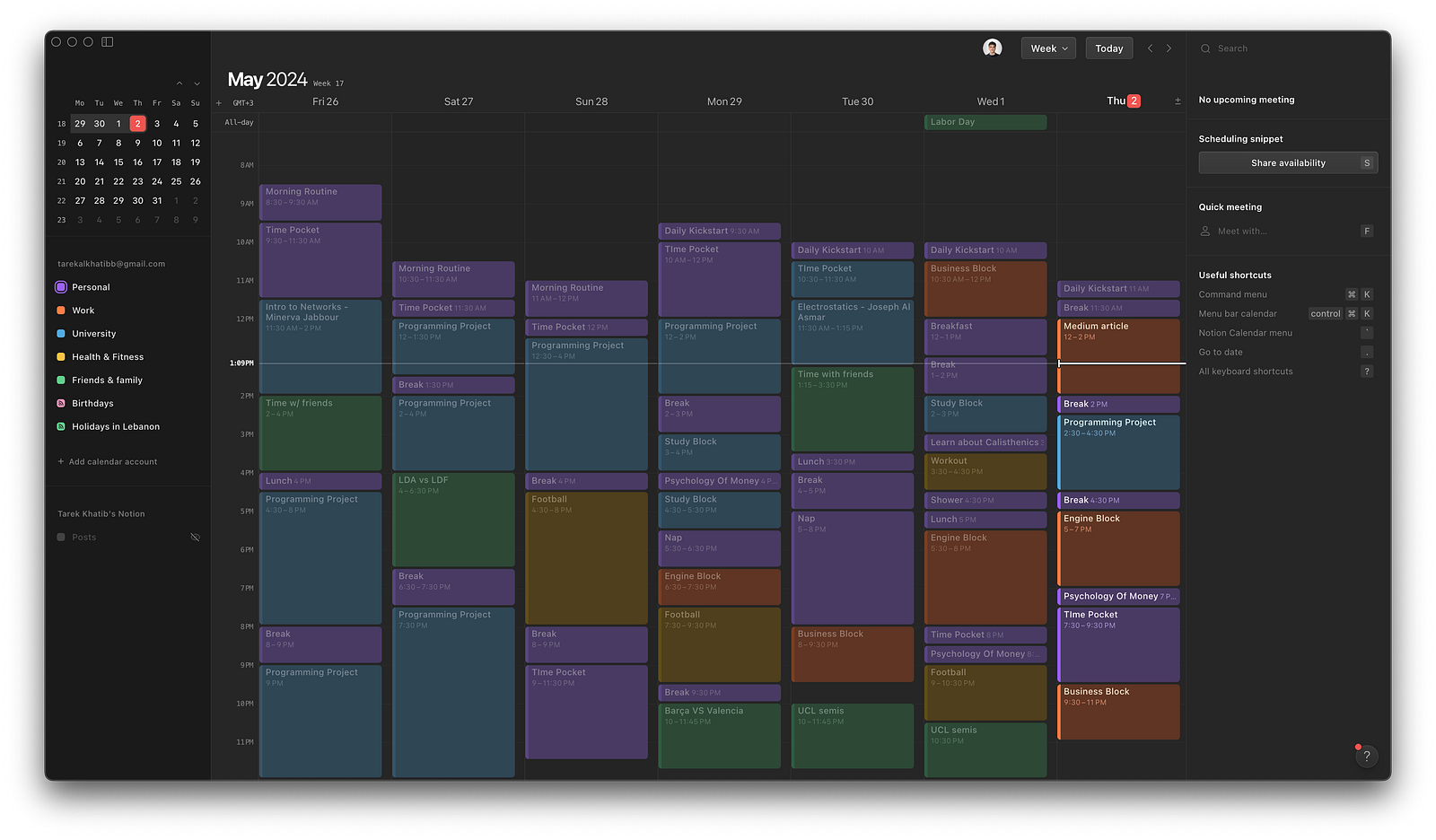
Notion Calendar was originally launched in 2022 as a separate calendar app called Cron. It had a clean design and innovative scheduling approach that people liked. Not so long ago, Notion — a workspace platform for notes, tasks, and wikis — acquired Cron. They integrated Cron’s calendar into Notion and renamed it Notion Calendar.
As part of Notion, the calendar gained more powerful features while staying connected to Notion’s other tools like databases and boards. Here are some of its key features in simple terms:
Visual calendar view to easily schedule and see events
Natural language for quickly adding events
Links to tasks and projects in Notion databases
Supports repeating events and reminders
Can share calendars and work with others
Different calendar views like day, week, month
Quick Meeting generation
Minimalistic UI
Integration with Google Calendar ONLY
Menu bar app for quick access on Mac
One unique strength is how deeply integrated it is with Notion’s ecosystem. This allows combining notes, tasks, and calendars seamlessly together. Notion Calendar is included in both Notion’s free and paid plans, making it accessible to individuals and teams. The app alone is fully free.
Fantastical — The Ultimate tool
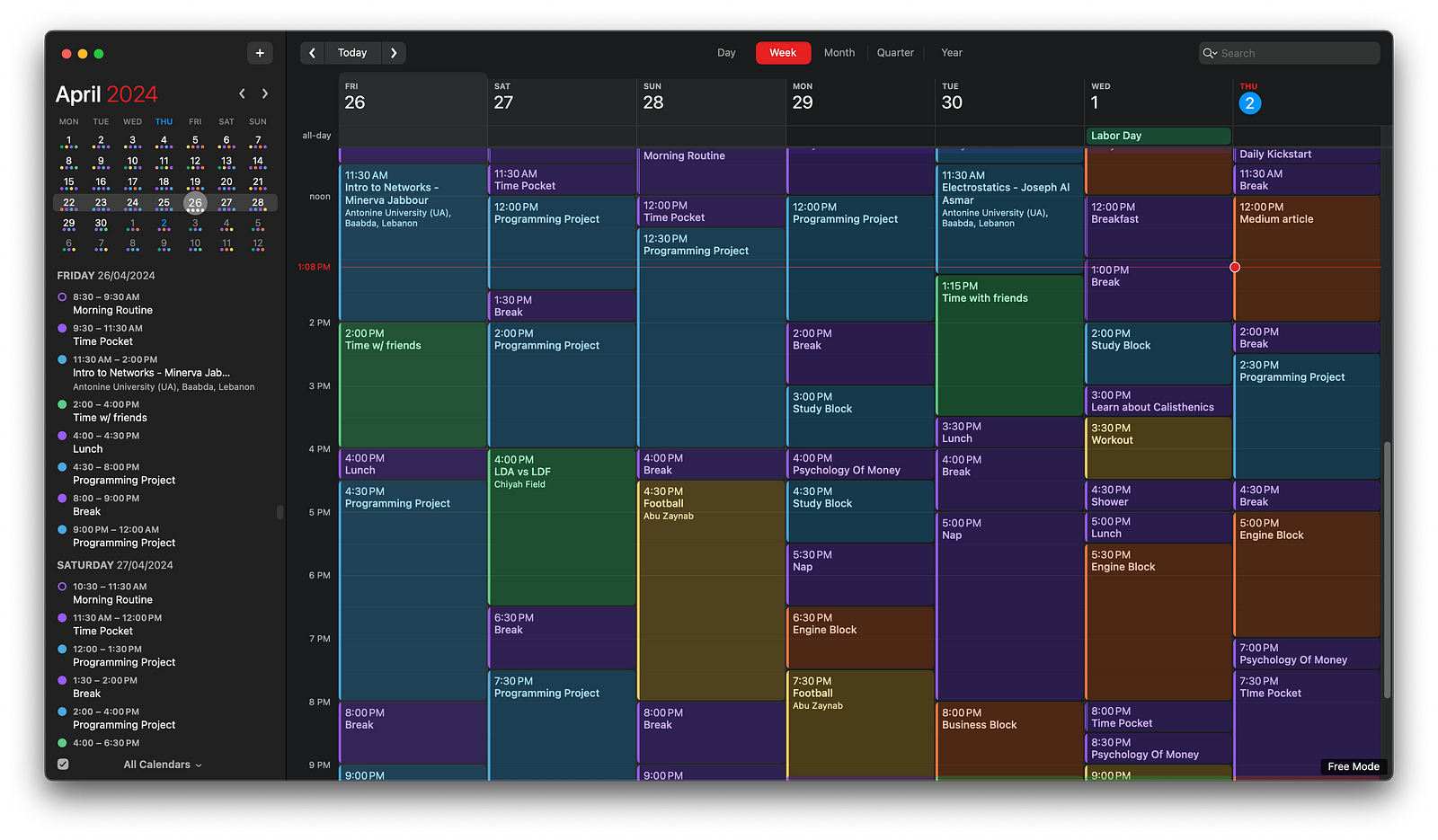
Fantastical is a popular dedicated calendar app made by ‘Flexibits’. It has been around for over a decade, first launching in 2011 for macOS before expanding to iOS, iPadOS, and even web browsers.
Some of Fantastical’s core features in simple terms:
Natural language input to quickly create events just by typing phrases like “Meet Alex next Tuesday at 3 pm”
Clean, intuitive calendar interface with various views (day, week, month, year)
Calendar set management to seamlessly view and toggle multiple calendars
Seamless integration with Apple’s Reminders app to view and manage to-dos alongside events
Cross-platform sync across Mac, iPhone, iPad, and web
Works with calendar accounts like iCloud, Google, Microsoft Exchange, etc.
Menu bar app for quick access on Mac
Calendar window that floats on top of other apps
Weather forecast feature (not a big fan) (You can turn it off anyway)
What makes Fantastical unique is its focus on providing the best possible calendar experience through design and natural language features. As well as its seamless integration with the Apple Ecosystem. Almost feels like the Apple Calendar app, with extra features.
Unlike Notion Calendar which is free, Fantastical is a Freemium model with options for one-time purchase or subscription across its Mac, iOS, and web offerings. I think the free version is roughly enough.
Which app should you pick?
The choice between Notion Calendar and Fantastical depends on your specific needs and workflow preferences. For business professionals, entrepreneurs, or those who require a powerful and feature-rich calendar solution deeply integrated with their work environment, Fantastical may be the ideal choice. Its natural language input, seamless calendar management, and cross-platform sync make it a compelling option for managing complex schedules, meetings, and tasks efficiently.
Additionally, Fantastical’s robust integration with popular productivity tools and calendar accounts like iCloud, Google, and Microsoft Exchange ensures a smooth experience for those working across multiple platforms and ecosystems.
On the other hand, if you’re seeking a minimalistic yet capable calendar solution that seamlessly blends with your note-taking, task management, and project-planning workflows, Notion Calendar could be the perfect fit. Its deep integration with the Notion ecosystem allows you to create a centralized workspace where your calendar events, tasks, and notes coexist harmoniously.
Notion Calendar’s clean interface, natural language input and sharing capabilities make it an excellent choice for individuals or teams looking to streamline their productivity without sacrificing simplicity. Furthermore, Notion Calendar is your pick if you’re looking for a free option.
Oh, me? I picked Notion Calendar.
Because, briefly:
NOTION CALENDAR > FANTASTICAL FREE MODE
FANTASTICAL PREMIUM > NOTION CALENDAR
That’s all :)