Published: May 26, 2025
Updated: May 5, 2026
Things 3 Review — Can It Replace Apple Reminders?
A good to-do list is essential for managing daily tasks and staying organized. While calendars help schedule major events, task managers handle the small details that keep everything running smoothly. After years of relying on Apple Reminders, I decided to try Things 3, one of the most popular task management apps. After using it as my main to-do app for a month, I compared the two to see which one actually delivers the better productivity experience.
I’ve been using Apple Reminders as my go-to To-Do list app forever. But the hype around Things 3 had caught my attention, so I thought I’d give it a try. Here’s what I think after 1 month of using Things 3 as my main To-Do.
Apple Reminders VS Things 3
Time management could never reach peak efficiency without a To-Do list. A calendar is enough to schedule a day, a week, or a month, based on broad and vague events. Like a birthday party or a business meeting. However, a To-Do list plays a crucial role in tailoring these events. It is the ultimate tool to tackle your chores, specific tasks, and small details.
It honestly doesn’t matter whether you write your To-Do physically, on paper and pen, or digitally, using some app with special features. What matters is how efficient this method is for you. So, if you prefer paper & pen, this article ain’t for you, don’t waste your time :)
I prefer digital To-Do apps, for at least one reason which is the reminder notifications, a paper with some ink on it won’t call me to remind me of X task. Without further ado, let’s dive into the main topic of this article.
Apple Reminders — Minimalistic Approach
Apple Reminders is a powerful task management tool that comes pre-installed on all Apple devices. It integrates seamlessly across iOS, iPadOS, macOS, and even watchOS, making it a convenient option for Apple ecosystem users. Apple Reminders combines simplicity with functionality, ensuring that both casual users and productivity enthusiasts can keep their tasks and projects well-organized.
Features and Functionality
Task Creation and Organization: Apple Reminders allows users to create and manage tasks with ease. Tasks can be grouped into lists, providing a structured way to categorize and prioritize different types of activities. Each reminder can be enhanced with additional details such as notes, links, and images, offering a comprehensive view of what needs to be done.
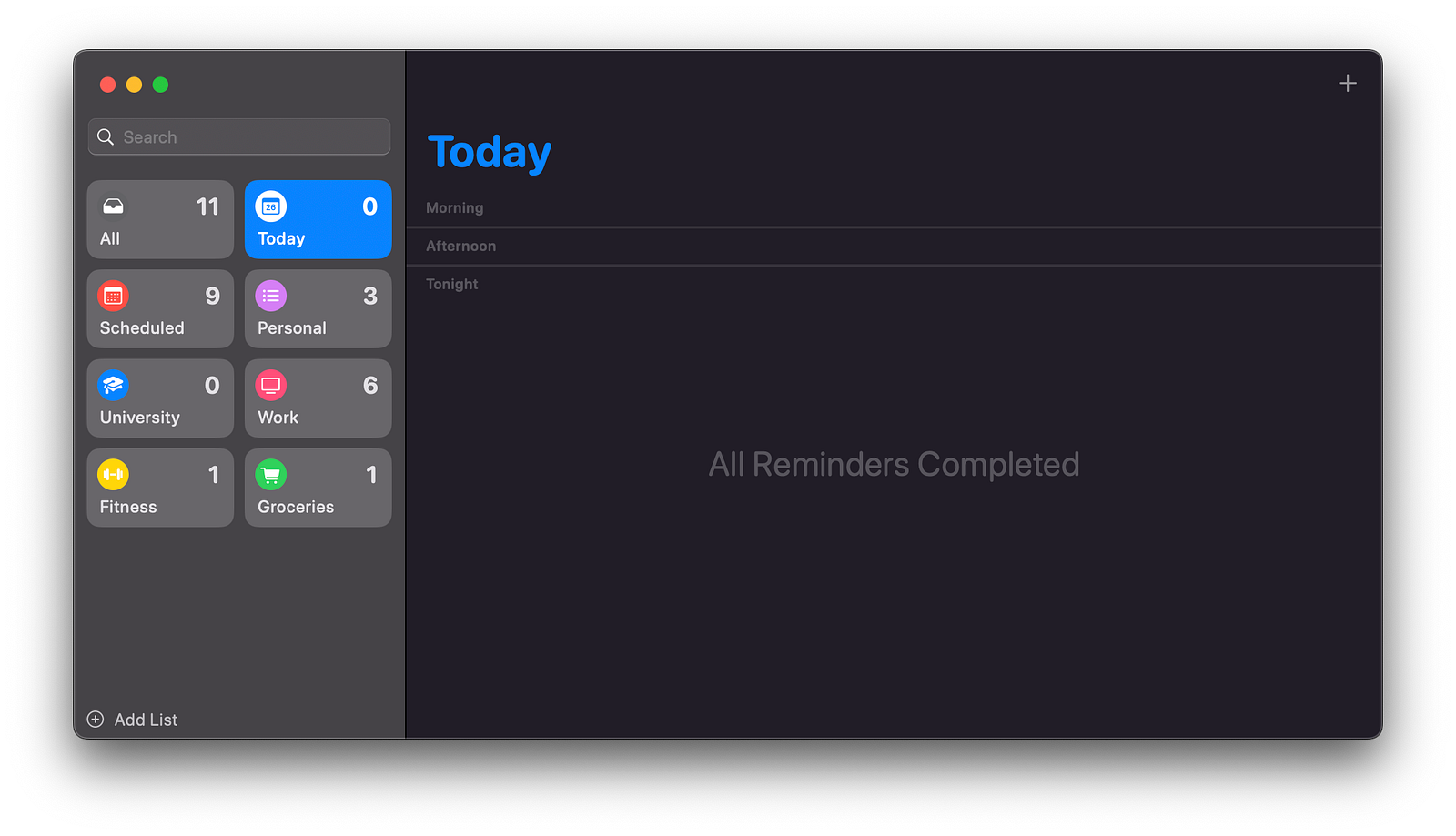
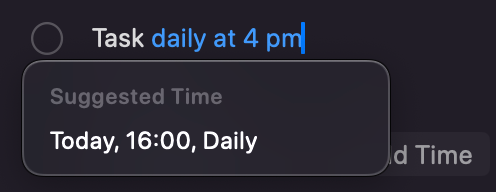
2. Due Dates and Times: One of the standout features of Apple Reminders is its ability to set due dates and times. This ensures users are alerted exactly when a task needs to be addressed, helping to avoid missed deadlines. For recurring tasks, the app offers customizable repeat intervals, whether it’s daily, weekly, monthly, or at custom periods.
My favorite part of this is the user-friendly human interaction, as you can set the date, time, and repetition by simply writing it into your To-Do. For example; “Remind me to call the dentist tomorrow at 10 AM”.
3. Location-Based Reminders: Apple Reminders takes advantage of location services to offer location-based alerts. Users can set reminders to trigger when arriving at or leaving a specific location, such as reminding them to pick up groceries when they reach the store or to call someone once they get home.
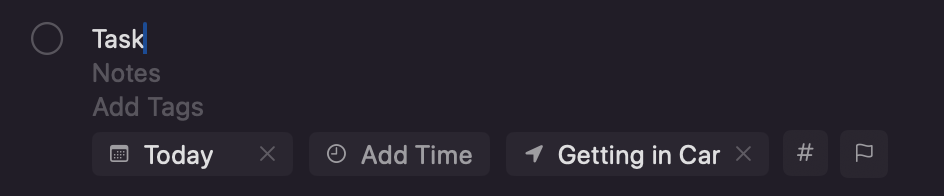
My phone will remind me of this task once I get in a car
4. Smart Lists and Flags: The introduction of Smart Lists adds an extra layer of automation and organization. These lists automatically gather tasks based on specific criteria like due dates, flagged status, or priority levels. Flags can be added to important tasks, making them easy to spot and prioritize within any list.
5. Subtasks and Collaboration: For more complex tasks, subtasks can be created, allowing users to break down larger projects into manageable steps. Collaboration is also straightforward, with the ability to share entire lists with other Apple users. This makes it easy to coordinate tasks and responsibilities within teams or family groups.
6. Integration with Siri and Other Apps: Apple Reminders integrates seamlessly with Siri, enabling hands-free task management. You can ask Siri to create reminders, and checklists, or mark tasks as complete. Additionally, the app integrates with other third-party apps to provide seamless access to your To-Dos, it even integrates with Things 3 itself.
7. User Interface and Design: The user interface of Apple Reminders is clean and user-friendly, with a minimalist design that focuses on functionality. Customization options, though, such as color-coding lists, can enhance the visual appeal and usability.
Pricing
One of the most compelling aspects of Apple Reminders is its pricing: it’s completely free. Unlike many other task management apps that require subscription fees for premium features, Apple Reminders offers a comprehensive suite of tools at no cost.
Things 3 — Focused on the Details
Things 3 is an advanced task management app developed by Cultured Code, designed to provide a detailed and highly customizable user experience. While it comes with a price tag, its robust feature set and thoughtful design make it a strong contender for anyone serious about task management.
Features and Functionality
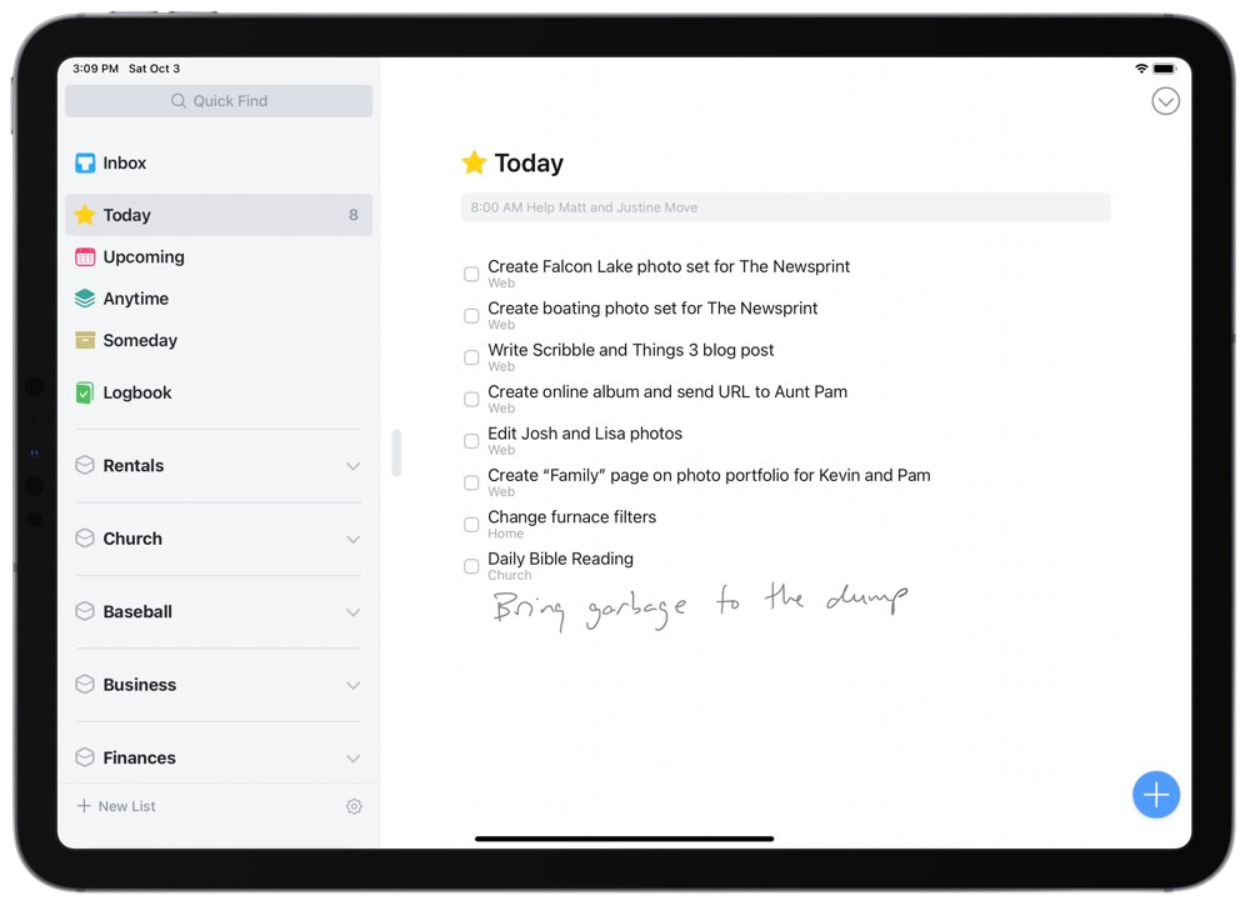
1. Task Creation and Management: Things 3 excels in task creation and management with its intuitive interface. Users can create tasks, projects, and areas of responsibility, allowing for a well-structured hierarchy. Each task can include a title, notes, a checklist, a deadline, and tags for better organization.
2. Projects and Areas: Unlike basic to-do lists, Things 3 supports complex project management. Projects can be divided into sections and tasks, making it easier to handle large undertakings. Areas group related projects and tasks together, ideal for separating work from personal life.
3. Today and Upcoming Views: The Today view in Things 3 shows tasks due today, while the Upcoming view provides a forecast of future tasks and deadlines. This helps users focus on immediate priorities and plan efficiently.
4. Quick Entry with Autofill: Things 3 offers a Quick Entry feature with autofill, allowing users to add tasks swiftly from anywhere within the app or even from other applications. This feature is enhanced by natural language processing, making task entry fast and intuitive.
5. Scheduling and Deadlines: Tasks can be scheduled for a specific date or set to start at a future date, helping users plan their workflow. Deadlines ensure that critical tasks are completed on time, with the option to add reminders.
6. Tags and Search: Tags in Things 3 provide a flexible way to categorize tasks beyond the list and project structures. The powerful search functionality allows users to find tasks quickly based on keywords or tags, just like in Apple Reminders.
7. Focus Mode and Calendar Integration: Focus Mode in Things 3 minimizes distractions by showing only the tasks for a selected project or area. Integration with calendar apps allows users to see their tasks alongside scheduled events, creating a unified view of their commitments.
8. Collaboration and Sharing: While Things 3 is primarily designed for individual use, it supports basic collaboration features like sharing task lists via email or exporting them to other formats. This can be useful for sharing plans or coordinating with others informally. However, Apple Reminders’ collaboration feature is more efficient.
9. User Interface and Design: The design of Things 3 is sleek and aesthetically pleasing, with a focus on clarity and ease of use. The app uses clean lines, thoughtful typography, and subtle animations to enhance the user experience.
Pricing
Things 3 is a premium app with a one-time purchase model. As of the latest information, it is priced at $9.99 for the iPhone version, $19.99 for the iPad version, and $49.99 for the Mac version. While this cost might be a consideration, the app’s extensive features and capabilities justify the investment for those who need advanced task management.
Conclusion
After using Things 3 for a month, it’s evident that while it offers advanced features and a highly customizable user experience ideal for detailed task management, and despite its robust project management, tagging, scheduling, and sleek interface, Apple Reminders ultimately won me over. It almost seems like the total of $80 isn’t even worth it.
The simplicity, seamless integration across the Apple ecosystem, and the fact that it’s completely free make Apple Reminders the better choice for my needs. It effectively organizes my tasks and projects without the added expense, proving that sometimes the best tools are the ones you already have. As they say, it does the job.
Remember: Time Management isn’t about complexity, it’s about simplicity